Best IPTV: How to Test and Score It for Your Home
The best IPTV is the one that works in your home, on your internet, with your channels. This guide gives you ten criteria and a 20-point scoring sheet to fill in during a trial, so you choose on evidence instead of a ranking.

The best IPTV for your home is the service that stays stable on your own internet during a live game, carries the US and Spanish-language channels your household actually watches, and covers every screen that plays at the same time. No list can decide that for you, but a short, scored test during a trial can.
This guide turns that idea into a method: a household profile, ten criteria, a scoring sheet out of 20 points and a plan for using a free hour and a 24-hour trial to fill it in. You finish with a number and a set of notes, not a vague impression.
Every figure about Fiesta IPTV below comes from this site: the price list, the free trial page and the installation guide. The method itself works for any service you test, so you can score two options side by side with the same sheet.
Support in English and Spanish, 24 hours a day.
1, 2 or 3 screens, no contract, from $4.96 a month.
What makes the best IPTV for your home
The best IPTV for one home can be a poor fit for the house next door. The service is the same; the household is not. Three things decide the result: whether your channels are there, whether the picture holds on your connection, and whether the plan covers the screens and devices you use.
These are the inputs that change from one home to the next:
- Languages: English only, Spanish only, or both under one roof.
- Sports: which competitions you follow, and on which nights of the week.
- Screens: how many TVs, tablets and phones play at the same moment.
- Devices: a Firestick, a Samsung or LG Smart TV, an Android box, an iPhone or a laptop.
- Internet and Wi-Fi layout: the speed you pay for and how far the TVs are from the router.
A ranking written somewhere else knows none of this, so this guide does not name a winner. It shows you how to measure the best IPTV for your home before you commit to a long plan.
New to IPTV? Read how an IPTV subscription works first, then come back for the test.
Write down your household profile first
Write a short profile before you open any trial. It tells you what to test and which criteria are deal-breakers.
| Question | Example answer | What it decides |
|---|---|---|
| Who watches, and when? | Two adults, two teens, mostly evenings | The busiest hour to test |
| Which languages? | English and Spanish | Which channel groups to check |
| Which sports? | NFL on Sundays, Liga MX midweek | Which nights to run the test |
| How many screens at once? | Living room and one bedroom | 1, 2 or 3 screens |
| Which devices? | Firestick in the den, LG TV upstairs | Which setups to try |
| Where is the router? | Downstairs, by the front door | Which rooms need a Wi-Fi check |
Mark one or two answers as deal-breakers. For a family that follows Liga MX, the Mexico group and a stable picture on match nights come first; for a couple who watch movies in English, the on-demand library may matter more.
Ten criteria for the best IPTV
These ten criteria cover what a household notices in daily use. Each one can be checked during a trial, and each one gets a score on the sheet in the next section.
| Criterion | What to check | Matters most to |
|---|---|---|
| 1. Your channels | The channels you watch every week are on the list | Everyone |
| 2. Spanish-language groups | The countries your family follows have their own group | Latino and bilingual homes |
| 3. Stability at peak time | A live game in the evening plays without freezing | Sports fans |
| 4. Picture quality | 4K and Full HD versions look right on your main TV | Large-TV owners |
| 5. TV guide (EPG) | Now and next are filled in for your channels | Channel surfers |
| 6. Catch-up | You can pause and rewind live TV | Busy households |
| 7. On demand | Movies and series with the audio or subtitles you need | Movie and series fans |
| 8. Screens at once | Every screen of your busiest hour can play | Families |
| 9. Your devices | Each TV, stick or phone in the house runs the app | Mixed-device homes |
| 10. Support | A clear answer, in your language, when you ask | Everyone |
Price is left off the list on purpose. Score the service first, then compare what it costs: a cheap plan that fails your sports night is not the best IPTV for you.
A best IPTV scoring sheet out of 20
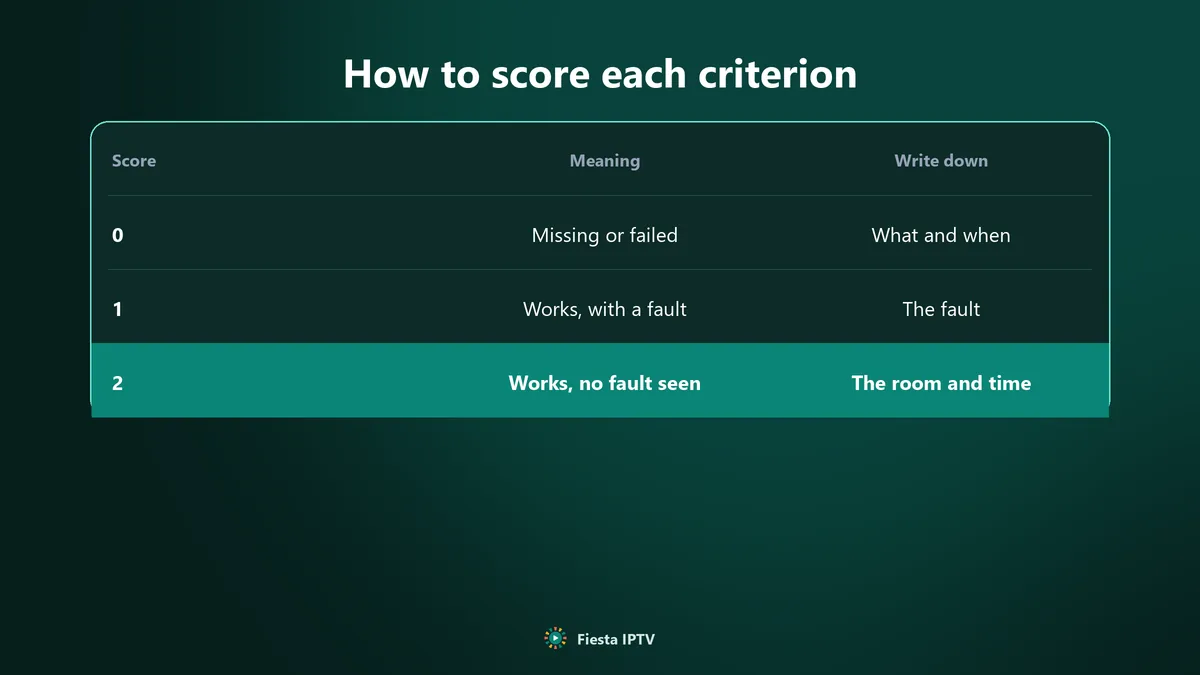
Give each of the ten criteria 0, 1 or 2 points. The total is out of 20, and the same sheet works for any service you test, so two trials can be compared fairly.
- 0 points: the feature is missing, or it failed when you tried it.
- 1 point: it works, with a fault you could live with. Note the fault.
- 2 points: it works, and you noticed no fault during the test.
Keep notes, not impressions
Next to each score, write the room, the device and the time. “Froze twice, bedroom TV, 8:40 pm” tells you far more than “a bit slow”, and shows whether the fault belongs to the service or to that room.
Deal-breakers override the total
A 0 on a deal-breaker from your profile ends the test, whatever the total says. A service that scores 18 but has no group for the country your family watches is not the best IPTV for your household.
Plan the trial: a free hour, then a full day
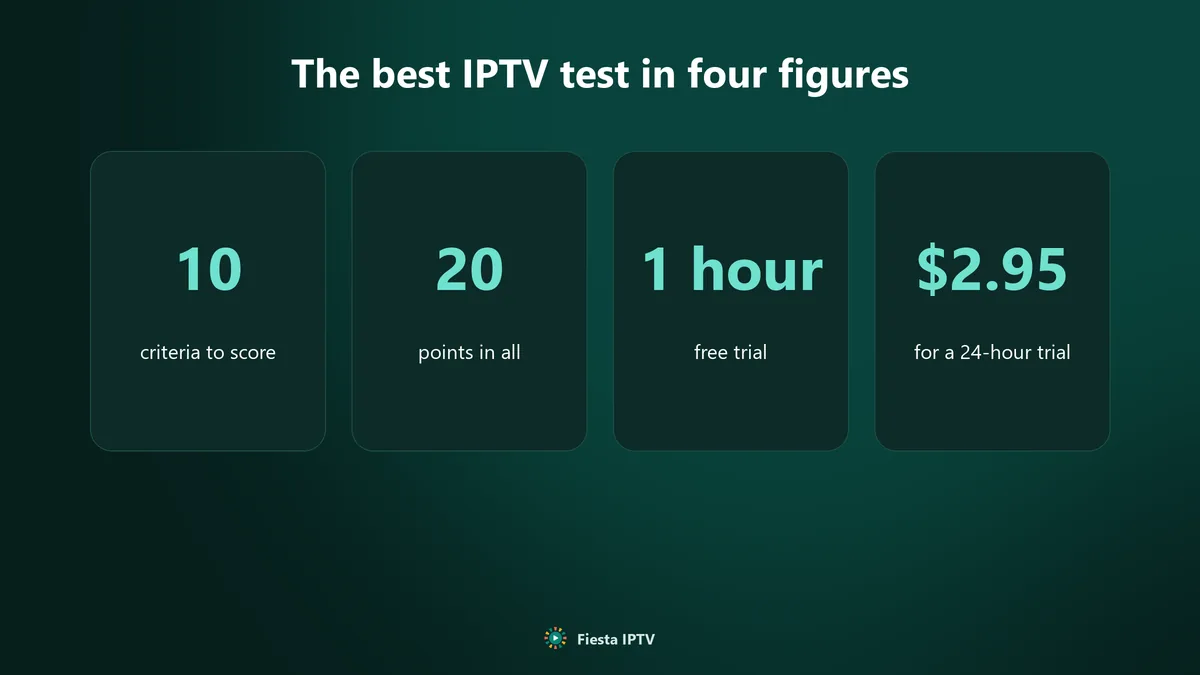
Use the free hour to check the list and the setup, and the 24-hour trial to check everything that depends on the time of day. Fiesta IPTV offers both, and both open the full service.
| Trial | Terms | Criteria it can score |
|---|---|---|
| Free 1-hour trial | Full access, one per customer, no payment | Your channels, Spanish-language groups, TV guide, devices |
| 24-hour trial | $2.95, taken off your first subscription | Peak-time stability, picture, catch-up, on demand, support |
What to do in the free hour
- Install the app on the main TV and log in.
- Open the United States group and the Spanish-language groups from your profile.
- Search for the channels on your list and mark each one found or missing.
- Check that the TV guide shows now and next for those channels.
What to do in the 24 hours
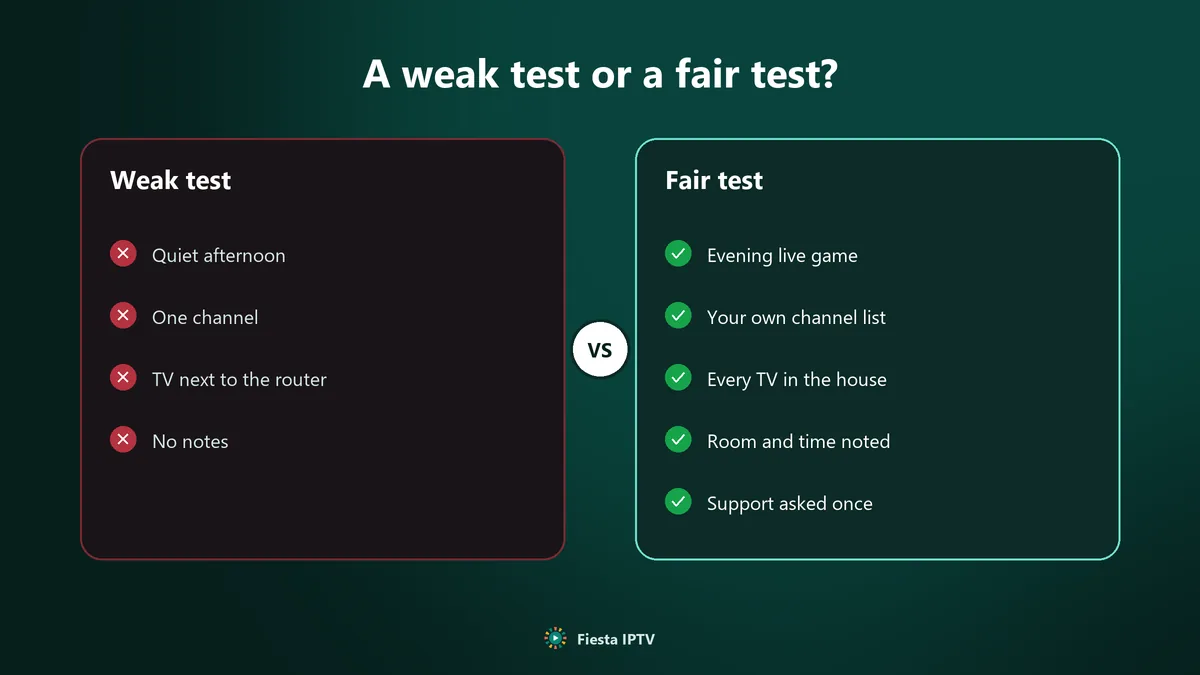
- Watch a live game in the evening, from a few minutes before the start.
- Pause, rewind and come back to live on a channel with catch-up.
- Try the TV furthest from the router, then the main TV again.
- Play a movie or a series episode in the language you need.
- Send support one real question and time the reply.
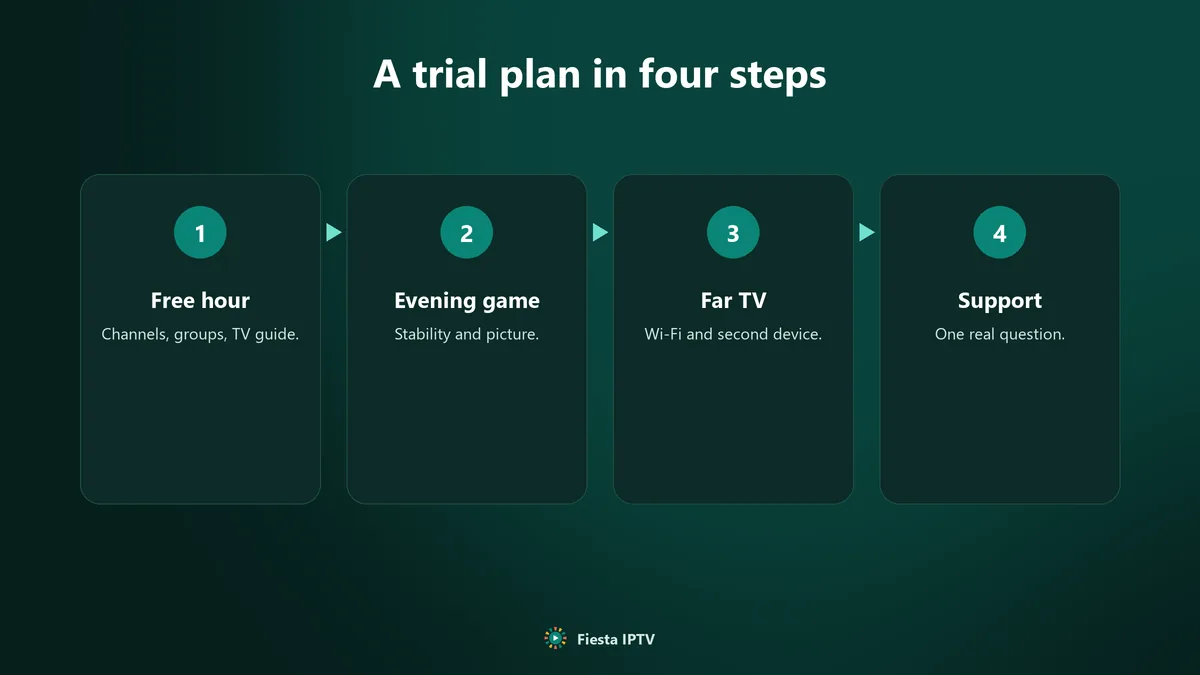
Book the 24-hour trial for a day with a game you care about; a quiet afternoon tells you little. Both trials are described on the free trial page.
$2.95, taken off your first subscription.
Checking the United States channel group
Look for your own channels by name, not for the size of the list. Fiesta IPTV has more than 34,000 live channels, but your score depends only on the ones you watch.
The United States channels sit in their own group, with local and national channels, and Canada has a separate group. Before the trial, write down ten channels your household watches in a normal week, including the local ones for your area. During the free hour, search for each one.
- Found, with a filled TV guide: 2 points toward criterion 1.
- Found, but the guide is empty or a channel is missing: 1 point, and a note.
- Several of your channels missing: 0 points, whatever the total channel count.
Check the picture versions too. The main sports, movie and entertainment channels come in 4K, with Full HD, HD and SD versions alongside. You can browse the channel list before the trial.
Testing the best IPTV for Spanish-language viewers
For a Latino or bilingual household, the best IPTV is the one with a real group for each country your family follows, plus on-demand titles with Spanish audio or subtitles. Check both during the free hour.
| Where to look | What to check | Criterion |
|---|---|---|
| Mexico group | Your usual news, telenovelas and Liga MX nights | 1 and 2 |
| Spain group | Channels you watch and LaLiga match days | 1 and 2 |
| Argentina, Colombia, Chile, Peru | One group per country, with a filled TV guide | 2 and 5 |
| Caribbean and Central America | Dominican Republic and Puerto Rico channels | 2 |
| On demand | Spanish audio or subtitles on titles you pick | 7 |
| Support | A reply in Spanish to a question in Spanish | 10 |
Fiesta IPTV has large Spanish-language groups for Mexico, Spain, Argentina, Colombia, Chile, Peru, the Caribbean and Central America. In the on-demand library, most titles have English audio or subtitles and many have Spanish audio or subtitles, so check the titles your family would actually choose rather than the first ones on the screen.
Test the hour your family watches
If the household watches a telenovela at 9 pm, test that hour, on that channel, in that room. That is where the best IPTV for your family has to work.
The sports-night test for the best IPTV
A live game in the evening is the hardest test for any service, and it is where the best IPTV for a sports household separates itself. Run it on a night you would watch anyway, from a few minutes before the start to the final whistle.
Fiesta IPTV sports channels carry the NFL, NBA, MLB, NHL, MLS and college football, as well as Liga MX, the Premier League, the Champions League, LaLiga, Serie A and Copa Libertadores. Formula 1, UFC, boxing, tennis and golf are covered too, and pay-per-view events have their own category.
During the game, score these points:
- Freezes: count them, and note the minute and the room.
- Switching: change between two games and see how quickly each one starts.
- Picture: watch the 4K version on the main TV; fast action shows weak picture quickly.
- Catch-up: pause for a few minutes, rewind a play, then return to live.
- TV guide: check that the game appears in now and next.
Two games on two TVs
If your Sundays mean the NFL in the living room and a Premier League replay in the bedroom, that is two screens at once. Test it that way.
Fiesta IPTV aims for 99.9% uptime, with redundant servers and anti-freeze protection, as a target. Your sports-night score shows how close the best IPTV candidate comes on your own line.
Count screens at your busiest hour
A screen is a device playing at the same moment, not a device with the app installed. Count the screens that play together at your busiest hour, and that is the plan size to test: 1, 2 or 3.
On a 1-screen plan, the living-room TV, a tablet and a phone can all be set up, but only one plays at a time. If you plan on two or three screens, ask support before the trial how to check more than one screen at once.
Each screen playing needs its own share of the connection:
| Quality | Speed per screen | Typical screen |
|---|---|---|
| HD | 10 Mbps | Phone, tablet or small TV |
| Full HD | 15 Mbps | Bedroom or second TV |
| 4K | 25 Mbps | Large living-room TV |
Add the figures for your busiest hour. One 4K screen and two Full HD screens come to 55 Mbps, before anyone else at home goes online. If the total is close to what you pay your internet provider for, pick Full HD or HD on the smaller screens and score the picture on that basis.
Score every TV, not only the main one
Criterion 9 is only worth 2 points when every device in your profile runs the app. A service that plays well on the living-room Firestick but not on the bedroom TV covers half your home.
Fiesta IPTV runs on Samsung and LG Smart TVs, Android TV, Google TV, Android boxes, MAG boxes, Amazon Firestick, Apple TV, Nvidia Shield, Xbox, iPhone, iPad, Android phones and tablets, Windows, Mac and a web player. The player app is iBO Player, at no extra cost, and setup takes about five minutes.
- Firestick or Android TV: install the Downloader app, allow apps from unknown sources, enter the code 481220 and install iBO Player. The Firestick setup guide goes through it step by step.
- Samsung or LG Smart TV: install iBO Player from the TV’s app store, send the MAC address and device key it shows on WhatsApp, then restart the app after confirmation. See the Smart TV setup guide.
- iPhone, iPad, Android phone or tablet: install iBO Player from the App Store or Google Play and enter the login details.
If you already have a favorite player
The line also comes as an M3U link or an Xtream Codes login for players such as IPTV Smarters or TiviMate. If you already use one, score the service in it too. All devices are covered in the installation guide.
Separate the service from your Wi-Fi
Before you score stability, find out whether a fault comes from the service or from the room. Play the same channel next to the router, then on the far TV. If it is steady near the router and freezes upstairs, the weak point is the Wi-Fi in that room.
Wi-Fi weakens through walls and floors. For the TV that matters most, an Ethernet cable, a powerline adapter or a mesh point nearby gives a steadier picture. Fiber, cable, DSL and 4G or 5G home internet all work, as long as the connection is steady.
How to score a Wi-Fi fault
Score criterion 3 on the result next to the router or on a cable, and note the room problem separately. The same weak room would let any provider down.
The service also works with a VPN and when traveling, wherever there is an internet connection. If either matters to your household, add it to the profile and test it during the 24 hours.
Test support before you need it
Ask support one real question during the trial and score the answer on criterion 10. For a full best IPTV score, the reply should be clear and in your language.
- Ask something useful: how to add a second screen, or which picture version suits your far TV.
- Ask in the evening: that is when you are most likely to need help later.
- Ask in Spanish if anyone in the house would rather use it.
Fiesta IPTV support answers in English and Spanish on WhatsApp, 24 hours a day, every day, and by email at support@fiesta-iptv.com. What the service delivers after you subscribe, such as renewals and day-to-day quality, is covered in the guide to judging an IPTV service.
In English or Spanish, at any hour.
Why a best IPTV list cannot choose for you
A list of the best IPTV services is written in someone else’s home, on someone else’s internet, for someone else’s channels. It cannot test your Wi-Fi, your local channels or your Sunday games.
Treat any promise that a trial cannot confirm with care: “lifetime” access, zero buffering, or a channel count with no way to search it. No provider controls your Wi-Fi, so zero buffering cannot be promised honestly. Checking the seller itself, its payment methods, terms and warning signs, is the subject of the guide to choosing an IPTV provider.
Rights questions are outside a scoring sheet. Fiesta IPTV is an independent service and makes no legal claim; the full wording is in the legal points of the subscription guide.
Reading your best IPTV score
Add the ten scores, check the deal-breakers, then decide. These bands are a simple way to read a total out of 20.
| Total | What it means | Next step |
|---|---|---|
| 17 to 20 | A strong fit for your home | Choose a plan length |
| 12 to 16 | Good, with faults to look at | Fix the Wi-Fi faults, ask support, retest |
| Under 12 | A poor fit for your home | Do not buy a long plan |
| 0 on a deal-breaker | Not for your household | Stop, whatever the total |
Choosing a plan after a good score
The channels and the library are the same on every Fiesta IPTV plan; only the length and the number of screens change. Each price is one payment, with no setup fee, no contract and no automatic renewal.
- Still a little unsure: 1 month for $17 or 3 months for $37 on one screen.
- A strong score: 12 months for $77 on one screen, or $6.42 a month.
- A strong score, kept for a long time: 24 months for $119, or $4.96 a month.
- Two screens: from $29 for 1 month to $199 for 24 months.
- Three screens: from $39 for 1 month to $297 for 24 months.
Every new subscription can be refunded within 7 days, after you contact support so a technician can try to fix the problem; the conditions are in the refund policy. There is no automatic renewal, so each renewal is a good moment to run the best IPTV test again, for example after a new TV or a new internet plan.
1, 2 or 3 screens, from 1 to 24 months.
How this guide was written
This guide was prepared for Fiesta IPTV with the help of AI writing tools. Its prices, trial terms, refund conditions, device steps and speed figures are the ones published on this site. If you spot something that looks out of date, tell us through the contact page.
Frequently asked questions
- What is the best IPTV for a US household?
- The best IPTV for a US household is the one that carries its own channels, stays stable during an evening game on its own internet and covers every screen playing at once. Fiesta IPTV can be checked against those points with a free 1-hour trial or a 24-hour trial for $2.95.
- How do I test the best IPTV during a trial?
- Score ten criteria from 0 to 2 points for a total out of 20. With Fiesta IPTV, use the free 1-hour trial for the channel list, Spanish-language groups and TV guide, then the 24-hour trial for $2.95 to test an evening game, catch-up, the far TV and support.
- Does Fiesta IPTV have Spanish-language channels?
- Yes. Fiesta IPTV has large Spanish-language groups for Mexico, Spain, Argentina, Colombia, Chile, Peru, the Caribbean and Central America, alongside a United States group. Many on-demand titles have Spanish audio or subtitles, and support answers in English and Spanish.
- How many screens can play at once with Fiesta IPTV?
- Fiesta IPTV plans cover 1, 2 or 3 screens playing at the same time. A 1-screen plan can be installed on several devices, but only one of them plays at a time, so count the screens in use during your busiest hour.
- What internet speed does Fiesta IPTV need for 4K?
- Fiesta IPTV needs 25 Mbps for each screen playing in 4K, 15 Mbps for Full HD and 10 Mbps for HD. Add the figures for every screen playing at once. An Ethernet cable or a mesh point near the main TV gives a steadier picture than weak Wi-Fi.
- Can I get a refund if Fiesta IPTV does not suit my home?
- Every new Fiesta IPTV subscription can be refunded within 7 days, after contacting support so a technician can try to fix the problem. Renewals, the 24-hour trial and problems caused by your own connection or a third-party app are not covered. Requests are handled within 24 to 48 business hours.