IPTV Subscription: How It Works, What It Costs and How to Choose
An IPTV subscription gives you live TV and on-demand movies over your internet for a fixed period. This guide covers how it works, the prices in US dollars, the devices you can use and the checks to make before you pay.
An IPTV subscription is a paid plan that brings live TV channels and on-demand movies and series to your screen over the internet, without a cable box, a satellite dish or an antenna. You pay once for a set period, receive login details, and watch in an app on a Smart TV, a Firestick, a phone or a computer.
Two plans that look the same on a price list can behave very differently on a Sunday afternoon during the game. This guide explains what you are buying, what a good subscription includes, what it costs in US dollars, which devices and internet speed you need, and how to test the service in your own home before you commit.
Every figure below comes from this site: the Fiesta IPTV price list, the free trial page and the installation guide. Where a point applies to any provider, it is written that way, so you can use the same checks wherever you shop.
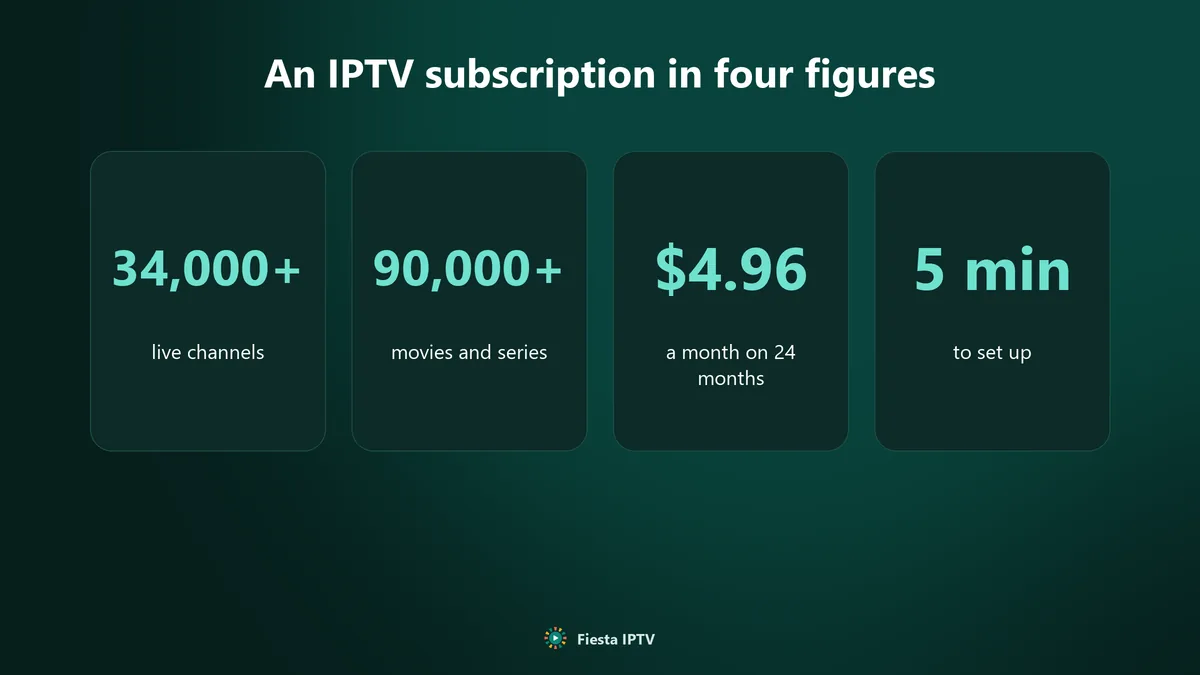
Support in English and Spanish, 24 hours a day.
No contract, no setup fee, from $4.96 a month.
What is an IPTV subscription?
IPTV stands for Internet Protocol Television: television delivered as data over an internet connection. An IPTV subscription is access to such a service for a period you choose, from 1 to 24 months.
Nothing is shipped to you and no technician comes to your home. What you receive is a set of login details, often called a line. You enter them in a player app, and the app loads a channel list, a TV guide and an on-demand library.
Every IPTV subscription has the same three parts:
- The line: your personal access to the provider’s servers, valid until its expiration date.
- The player app: the software that shows the channels on your screen. With Fiesta IPTV it is iBO Player, at no extra cost.
- Your own connection and device: your internet service, your Wi-Fi and the TV, streaming stick or phone you already own.
The third part is the one most buyers overlook. A provider runs its servers, but it has no control over the Wi-Fi in your basement or your back bedroom. A good service on a weak signal still gives a poor picture, which is why you test on your own setup.
What an IPTV subscription should include
A channel count on a home page says little on its own. What makes a plan easy to live with is everything around the channels. This is what every Fiesta IPTV plan includes, and a fair list to hold any provider to:
- Live channels: more than 34,000, grouped by country and by theme, with United States channels (local and national) in their own group.
- On demand: more than 90,000 movies and series, including complete seasons, with new titles added every day.
- TV guide (EPG): what is on now and next on the live channels.
- Catch-up: pause live TV or rewind to a moment you missed.
- Picture quality: 4K on the main sports, movie and entertainment channels, with Full HD, HD and SD versions for slower connections.
- 1, 2 or 3 screens playing at the same time, depending on the plan.
- The app and setup help: iBO Player, or an M3U link or Xtream Codes login for another player.
- Support: people who answer in English and Spanish on WhatsApp, 24 hours a day, every day.
The same content on every plan
The channels and the library do not change with the price. A 1-month plan and a 24-month plan open exactly the same line-up. Only two things vary: how long the line lasts and how many screens can play at once. There are no sports or movie add-ons to buy later.
How an IPTV subscription works, step by step
From your first message to your first channel takes about five minutes on the device side. The steps are much the same on a Firestick, a Smart TV or an Android box, and each device has its own page in the installation guide.
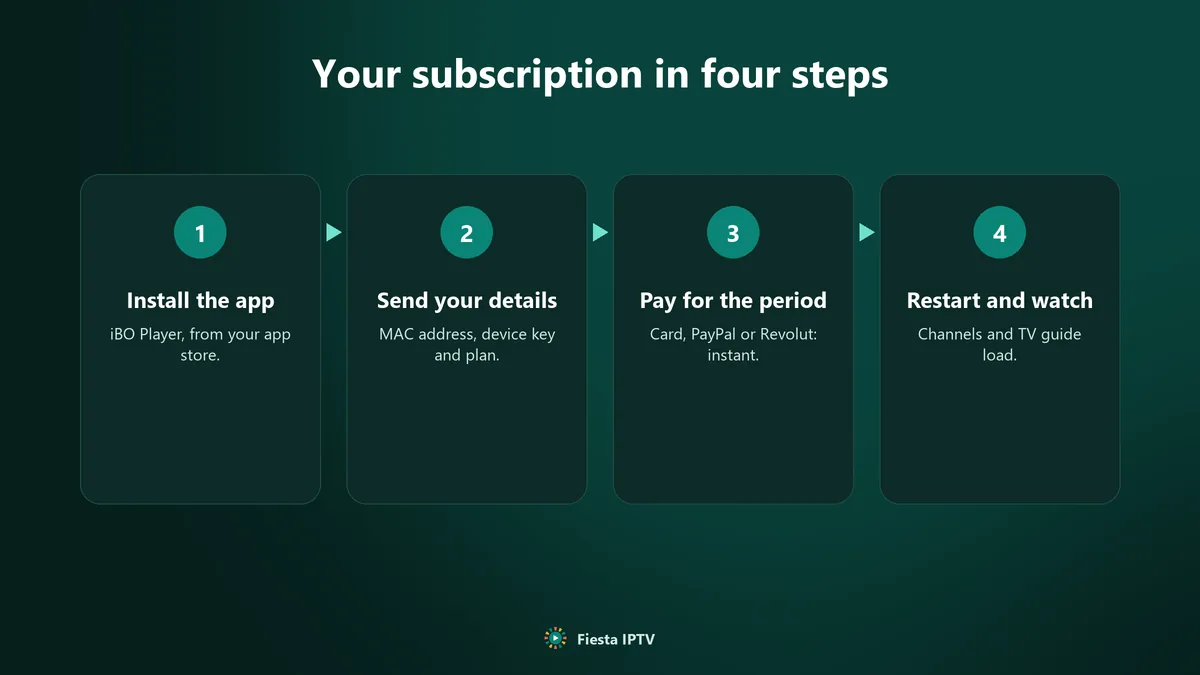
Step 1: install the player app
On a Samsung or LG Smart TV, a phone or a tablet, find iBO Player in the device’s app store. On a Firestick or an Android TV, install the Downloader app, allow apps from unknown sources, enter the code 481220, and iBO Player installs in about two minutes.
Step 2: send your device details
On a Smart TV, the app shows a MAC address and a device key the first time it opens. Send both on WhatsApp along with the plan you want. They identify the screen so the line can be linked to it; they are not a password and give no access to your Wi-Fi or your accounts. On a phone or tablet you simply type in the login details you receive.
Step 3: pay for the period
You pay once for the whole period. Card, PayPal and Revolut payments are confirmed immediately; bank transfer and crypto take 2 to 3 hours.
Step 4: restart the app and watch
Your login details arrive within minutes of the payment being confirmed. Restart the app, let the channel list and the TV guide load, and pick a channel. If you would rather be walked through it, guided setup on WhatsApp takes under ten minutes.
IPTV subscription prices in US dollars
These are the Fiesta IPTV prices. Each one is a single payment for the whole period, with no setup fee, no activation fee, no equipment rental, no contract and no automatic renewal.
| Length | 1 screen | 2 screens | 3 screens |
|---|---|---|---|
| 1 month | $17 | $29 | $39 |
| 3 months | $37 | $64 | $79 |
| 6 months | $49 | $84 | $117 |
| 12 months | $77 | $109 | $189 |
| 24 months | $119 | $199 | $297 |
Spread over the period, one screen comes to $17, $12.33, $8.17, $6.42 or $4.96 a month. For two screens the figures are $29, $21.33, $14, $9.08 and $8.29. For three screens they are $39, $26.33, $19.50, $15.75 and $12.38.
What the price covers
The price covers the line, the iBO Player app, an M3U link or Xtream Codes login if you prefer another player, setup help, the TV guide, catch-up and support. There is no box to rent, because you use devices you already own.
What it does not cover
Your internet service is separate and stays with your own provider. The other limits of a subscription are set out further down.
1, 2 or 3 screens, from 1 to 24 months.
Which length of IPTV subscription to pick
The length changes the monthly cost more than anything else. Since the content is identical on every plan, the real question is how sure you are about the service on your own connection.
1 to 6 months: finding out
One month for $17 takes you through a full run of weekdays and weekends, including busy game nights. Three months for $37 or six months for $49 suit part of a season, a student apartment or a stay away from home.
12 months: the balanced choice
Twelve months on one screen costs $77, or $6.42 a month, paid once. It is long enough to bring the monthly cost well down and short enough to remain an easy decision.
24 months: once you are sure
The lowest rate, $4.96 a month for one screen, comes with the longest period. It makes sense after a trial and a first shorter plan, not on day one.
How many screens you need
A screen means a device playing at the same moment, not a device with the app installed. On a 1-screen plan, the living-room TV, a tablet and a phone can all be set up, but only one of them plays at a time.
Think about the busiest hour of your week. If the game is on in the living room while someone watches a telenovela in the bedroom, that is two screens.
| Household | Playing at once | Plan to consider |
|---|---|---|
| One person or a couple | 1 | 1 screen |
| Family with two TVs | 2 | 2 screens |
| Shared house or large family | 3 | 3 screens |
You can start with one screen and add more when you renew. Paying for three screens that never play together is one of the easiest ways to overspend.
Devices that run an IPTV subscription
An IPTV subscription is not tied to one box. The same line works on any of these devices, and you can switch devices without buying again.
| Device | How the app is installed | Good to know |
|---|---|---|
| Amazon Firestick | Downloader app, code 481220 | Plugs into any HDMI port |
| Samsung or LG Smart TV | From the TV’s app store | Send the MAC address and device key shown on screen |
| Android TV, Google TV, Android box | Google Play Store | Pick the picture quality in the app |
| iPhone and iPad | App Store | Handy when traveling and as a second screen |
| Windows and Mac | Player app or web player | Good for a home office or a dorm room |
| MAG box, Nvidia Shield, Apple TV, Xbox | Depends on the device | Ask support for the right method |
An older TV still works
A television without apps works the same way once a Firestick or an Android box is plugged into it. You do not need a new TV to start an IPTV subscription.
Using another player
If you already use IPTV Smarters or TiviMate, ask for the line as an M3U link or an Xtream Codes login. The channel list and the library are the same.
Internet speed for an IPTV subscription
Allow this much speed for each screen playing at the same time:
| Quality | Speed per screen | Typical use |
|---|---|---|
| HD | 10 Mbps | Phone, tablet or second TV |
| Full HD | 15 Mbps | Main TV on most connections |
| 4K | 25 Mbps | Large 4K TV on a fast line |
Add the figures together for a busy evening. Two screens in Full HD and one in 4K come to 55 Mbps, plus whatever else the household is doing online. Fiber, cable, DSL and 4G or 5G home internet all work, as long as the connection is steady.
Wi-Fi is usually the weak link
Wi-Fi weakens through walls and floors, so the signal in an upstairs bedroom or a finished basement can be far weaker than next to the router. For the main TV, an Ethernet cable, a powerline adapter or a mesh point nearby gives a steadier picture during live sports.
Mobile data and hotspots
A phone hotspot works when the signal is steady, but video uses a lot of data. On a capped data plan, choose the HD version of a channel instead of 4K.
US and Spanish-language channels in an IPTV subscription
The channel list is grouped by country and by theme, so you do not scroll through 34,000 entries to find your own. The United States has its own group with local and national channels, and the Spanish-language groups are among the largest in the IPTV Fiesta line-up.
- United States: local and national channels in their own group, with Canada in a group of its own.
- Latin America and Spain: groups for Mexico, Spain, Argentina, Colombia, Chile and Peru.
- The Caribbean and Central America: including the Dominican Republic and Puerto Rico.
- Other countries: Brazil, the United Kingdom, France, Italy, Germany, India, Arabic channels and many more.
- On demand: most titles have English audio or subtitles, and many have Spanish audio or subtitles.
Sports by competition
Sports channels carry the NFL, NBA, MLB, NHL, MLS and college football, as well as Liga MX, the Premier League, the Champions League, LaLiga, Serie A and Copa Libertadores. Formula 1, UFC, boxing, tennis and golf are covered too, and pay-per-view events have their own category.
Before you pay, open the channel list or use the trial to find the local channels and teams you follow yourself, rather than relying on the headline number.
Try an IPTV subscription before paying
The safest way to choose is to watch first. Fiesta IPTV offers two trials, and both open the full service.
The free 1-hour trial
One hour is enough to install the app, browse the groups and confirm that the channels you watch are there. There is one free trial per customer, and no payment is asked for.
The 24-hour trial for $2.95
A full day shows what an hour cannot: a live game in the evening, the morning news, the picture on the TV furthest from the router. The $2.95 is taken off your first subscription. Both trials are explained on the free trial page.
The 7-day refund
Every new subscription can be refunded within 7 days, after you contact support so a technician can try to fix the problem. Renewals, the 24-hour trial and problems caused by your own connection or a third-party app are not covered. Requests are handled within 24 to 48 business hours, and the full conditions are in the refund policy.
$2.95, taken off your first subscription.
Paying for an IPTV subscription
Payment is in US dollars, and the order is placed on WhatsApp: there is no sign-up form on the site. Payment methods differ mainly in how quickly they are confirmed, which decides when your line goes live.
| Payment method | Confirmation | Good to know |
|---|---|---|
| Debit or credit card (Visa, Mastercard) | Immediate | Clear record on your statement |
| PayPal | Immediate | Useful if you prefer not to share card details |
| Revolut | Immediate | Quick from the app |
| Bank transfer | 2 to 3 hours | Plan ahead; not for a last-minute order |
| Crypto (USDT, BTC) | 2 to 3 hours | Check the amount and network before sending |
Apple Pay, Google Pay and Wise are accepted as well; support confirms the timing when you order.
Two habits worth keeping
Never type a card number and security code into a chat message, for this purchase or any other. And keep your payment confirmation: you will want it when you renew, change devices or ask for a refund.
IPTV subscription, cable package or free playlist?
Most households weigh an IPTV subscription against two alternatives: a cable or satellite package, and the free playlists shared on forums. They differ on far more than price.
| Point | Free playlist | Cable or satellite package | IPTV subscription |
|---|---|---|---|
| Cost | Nothing | Monthly bill | One payment, from $4.96 a month |
| Commitment | None | Often a contract term | None; ends on the expiration date |
| Equipment | Your own device | Provider’s box, sometimes a dish | Your own device |
| Stability at peak time | Poor; links expire | Predictable | Depends on the provider: test it |
| Support | Nobody | Customer service line | WhatsApp, 24 hours a day |
| Trial and refund | Not applicable | Varies | 1 hour free, 24 hours for $2.95, 7-day refund |
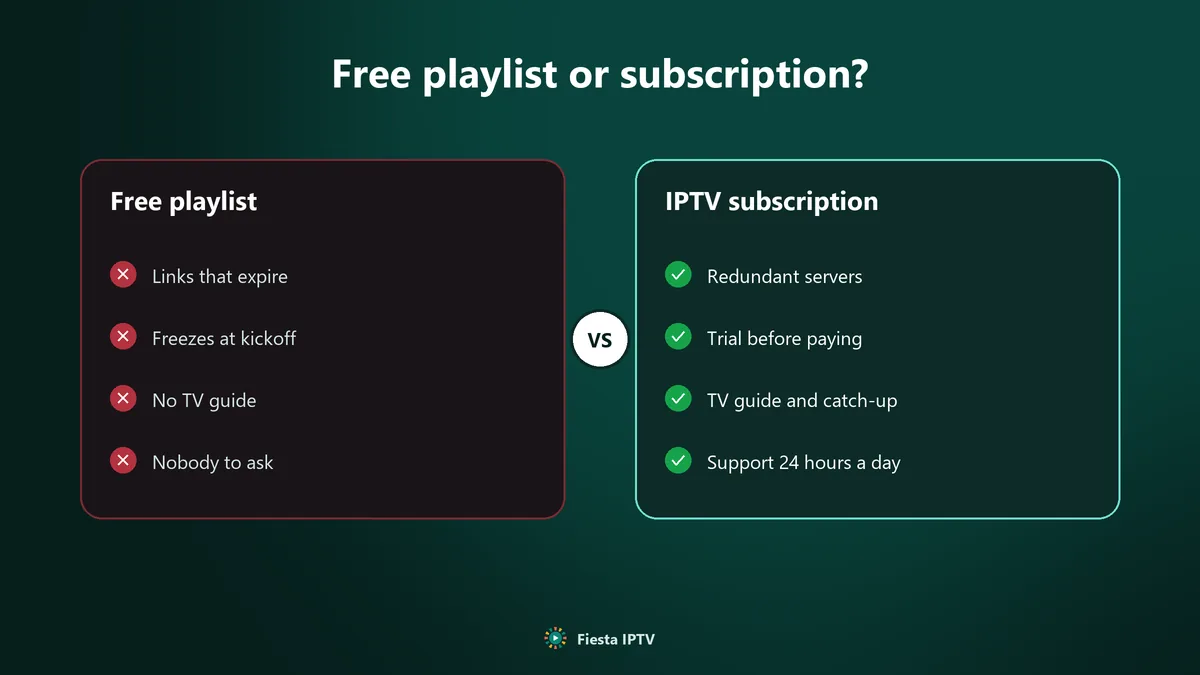
A cable package is predictable but comes with a monthly bill, and a free playlist costs nothing but tends to fail when you need it most. An IPTV subscription sits between the two. Its quality depends on the provider, which is exactly what the trial is for.
Legal points and what a subscription does not cover
A subscription gives you access to the Fiesta IPTV line for the period you paid for. It does not include your internet service, your devices or any other TV service, and it does not change the rules that apply where you live.
IPTV is a delivery technology; whether a service may carry a channel depends on the rights the provider holds.
Fiesta IPTV is an independent service. It is not connected to any TV channel, network, cable or satellite operator or streaming platform, and it makes no legal claim. This guide is not legal advice.
The rules on watching television over the internet are not the same in every country or state. You are responsible for checking what applies where you live before you subscribe, and if the rights position of any service matters to you, ask the provider directly.
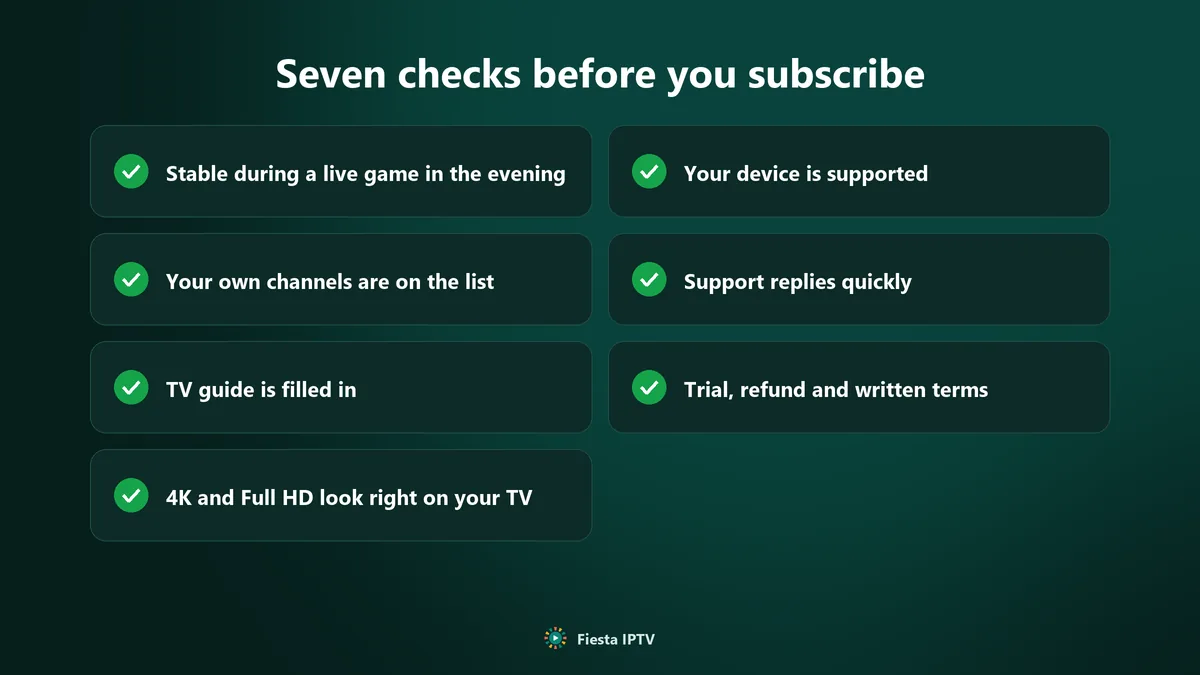
How to choose an IPTV subscription: seven checks
These seven checks apply to any provider, Fiesta IPTV included. Each one can be done during a trial.
- Stability at peak time: watch a live game between 7 pm and 10 pm, not a quiet channel at noon.
- The channels you actually watch: find your own local channels and favorite teams, not the headline number.
- A working TV guide: an empty guide makes a long channel list hard to use.
- Real picture quality: check the 4K and Full HD versions on your main TV.
- Your devices: confirm the exact TV, stick or box you own.
- Support that answers: send a question in the evening and see how long the reply takes.
- Trial, refund and written terms: a provider confident in its service lets you see it first. Read the terms of service before paying.
Warning signs
Be wary of “lifetime” offers, promises of zero buffering and sellers with no trial and no written terms. No provider controls your Wi-Fi, so zero buffering cannot be promised honestly. Fiesta IPTV aims for 99.9% uptime with redundant servers and anti-freeze protection, and states it as a target, not a promise.
Tell us your device and the channels you watch.
Common mistakes with a first IPTV subscription
Buying 24 months on day one
The lowest monthly rate is tempting, but it should follow a trial and a shorter plan. Find out how the service behaves on your own internet first.
Paying by bank transfer right before kickoff
Transfers and crypto take 2 to 3 hours to confirm. If the game starts in half an hour, pay by card, PayPal or Revolut.
Blaming the service for the Wi-Fi
If the picture is fine next to the router and poor upstairs, the problem is the signal in that room. Fix it with a cable, a powerline adapter or a mesh point before you change providers.
Counting devices instead of viewers
Count how many screens play at the same time, not how many gadgets are in the house.
When an IPTV subscription ends
On the expiration date the channels stop and nothing more is charged, because there is no automatic renewal. There is nothing to cancel and no notice period.
If you renew, your login details stay the same. No device has to be set up again, and your favorites stay where they were. You can also change the length or the number of screens at that point, for example moving from a 1-month IPTV Fiesta plan to 12 months. Questions about a renewal go through the contact page or WhatsApp.
If you would like to sell subscriptions yourself rather than buy one, the reseller page explains how that works.
How this guide was written
This guide was prepared for Fiesta IPTV with the help of AI writing tools. Its prices, trial terms, refund conditions, device steps and speed figures are the ones published on this site. If you spot something that looks out of date, tell us through the contact page.
Frequently asked questions
- What is an IPTV subscription?
- An IPTV subscription is a paid plan that delivers live TV channels and on-demand movies and series over the internet for a fixed period. With Fiesta IPTV you receive login details and watch in the iBO Player app on a Smart TV, Firestick, phone, tablet or computer.
- How much does an IPTV subscription cost?
- With Fiesta IPTV, one screen costs $17 for 1 month, $37 for 3 months, $49 for 6 months, $77 for 12 months and $119 for 24 months. The 24-month plan works out at $4.96 a month, with no setup fee and no contract.
- Does Fiesta IPTV have Spanish-language channels?
- Yes. Fiesta IPTV has large Spanish-language groups for Mexico, Spain, Argentina, Colombia, Chile, Peru, the Caribbean and Central America, alongside a United States group. Many on-demand titles have Spanish audio or subtitles, and support answers in English and Spanish.
- What internet speed does Fiesta IPTV need?
- Fiesta IPTV needs 10 Mbps for HD, 15 Mbps for Full HD and 25 Mbps for 4K, for each screen playing at the same time. An Ethernet cable or a mesh point near the main TV gives a steadier picture than weak Wi-Fi.
- Can I try Fiesta IPTV before paying?
- Yes. Fiesta IPTV offers a free 1-hour trial and a 24-hour trial for $2.95, which is taken off your first subscription. Every new subscription can also be refunded within 7 days, after contacting support, under the refund policy.
- Does a Fiesta IPTV plan renew automatically?
- No. Fiesta IPTV has no automatic renewal. Access stops on the expiration date, and if you renew, your login details stay the same, so nothing has to be set up again.