IPTV Provider: How to Check the Business Before You Pay
An IPTV provider is the business you trust with your money and your TV nights. This guide shows how to check who runs it, how it supports and bills you, what it lets you test and the red flags to spot before you pay.
An IPTV provider is the business that runs the servers, sells the subscription and answers when something goes wrong. Before you pay one, check who is behind it, how you can reach it, how you pay, whether you can watch first and what happens if the service does not work in your home.
The streams are only half of what you buy. The other half is the seller: its support, its written terms, its trial and its refund. This guide covers that second half, the checks you can make on any IPTV provider in one evening, before a single dollar leaves your account. How to judge the picture and the channels once you subscribe is covered in the guide on what an IPTV service delivers.
The figures quoted for Fiesta IPTV come from this site: the price list, the free trial page and the refund policy. The checks themselves apply to any seller, so you can use them wherever you shop.
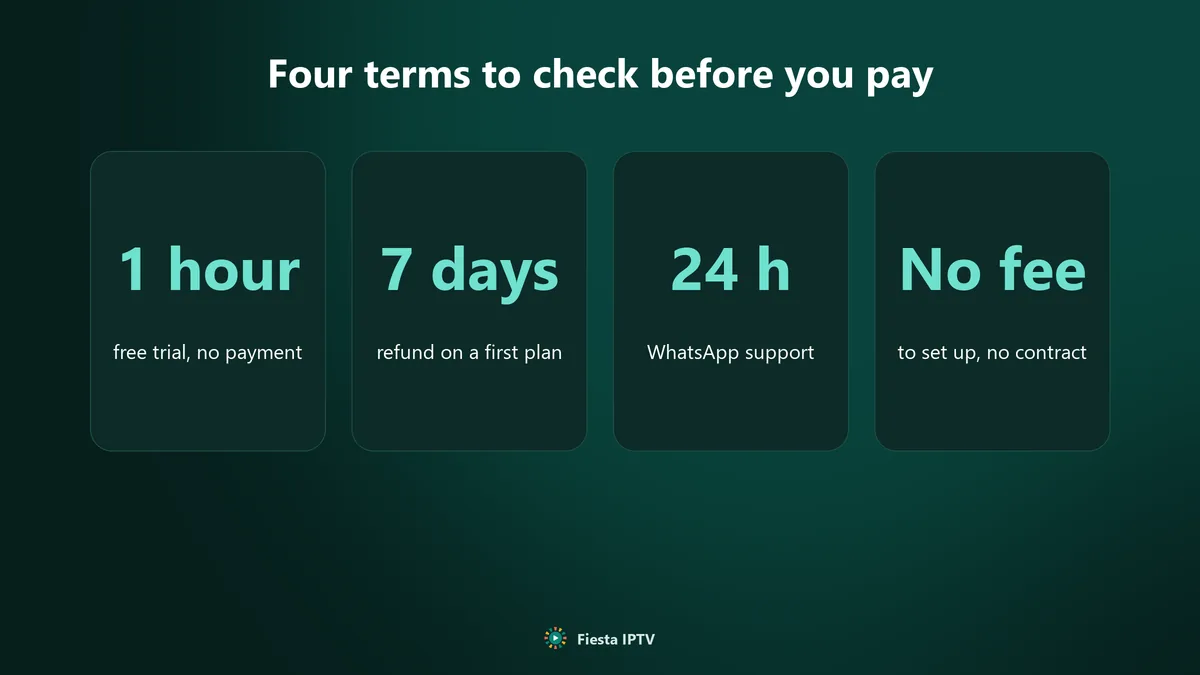
Support in English and Spanish, 24 hours a day.
One payment per period, no contract, from $4.96 a month.
What is an IPTV provider?
An IPTV provider is the company that operates the service: it runs the servers that carry the channels, builds the channel list and the TV guide, issues the login details and supports its customers. When you buy a subscription, the provider is who you are trusting with your money and your evenings.
That trust covers more than the picture. A provider decides:
- What you pay and how: the price list, the payment methods and whether anything renews by itself.
- What you can test first: whether there is a trial, how long it lasts and whether it is free.
- What happens when something goes wrong: who answers, in which language and at what time of day.
- What you can get back: the refund window and its conditions, in writing.
You cannot inspect a server from your couch, but you can check every one of these points before you pay. That is what the rest of this guide does, one point at a time, using Fiesta IPTV as the worked example.
IPTV provider or reseller: who are you buying from?
The seller in front of you is either the IPTV provider itself or a reseller of its service. Both can work, but you should know which one you are dealing with, because it decides who fixes a problem and who holds your refund.
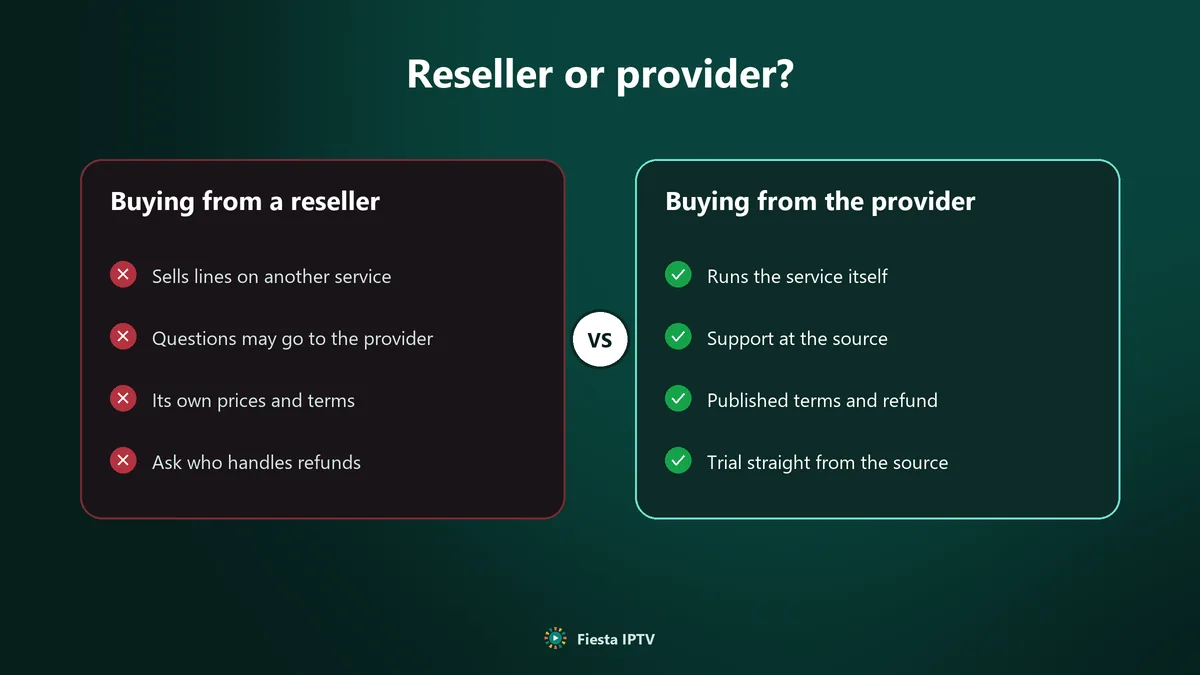
How a reseller works
A reseller buys credits from a provider and uses a management panel to create, renew and trial lines for its own customers. The channels and the servers belong to the provider; the prices, the support conversation and sometimes the brand name belong to the reseller.
What to ask
Ask the seller directly: “Do you run this service, or do you resell it?” Then ask who handles a refund and who the technician works for. A clear answer is a good sign either way; a dodge is not. Fiesta IPTV sells its subscriptions directly on WhatsApp, and the reseller page explains how others can sell its lines.
Who is behind the IPTV provider?
Start with what the business publishes about itself. A provider you can hold to its word leaves a written trail: a website you can return to, pages that set out its rules, and contact details that work.
- A website with its own address, not only a social-media profile or a chat number passed around.
- Terms of service that say what a subscription covers, how screens are counted and when access ends.
- A refund policy with a window in days and the conditions spelled out.
- A privacy policy that says what happens to your details.
- A contact page and an email address, in addition to chat.
- A plain statement of what it is: an independent service, with no hint of a link to a TV network.
Fiesta IPTV publishes its terms of service, its refund policy, its privacy policy and a contact page, with support@fiesta-iptv.com as its email. It describes itself as an independent service, not connected to any TV channel, network, cable or satellite operator or streaming platform.
Why these pages matter more than the home page
A home page is written to sell. The terms and the refund page are written to be held to. Read them before you read the channel count, and check that what the chat tells you matches what the pages say. If the two disagree, the written page is the one you can point to later.
Test the IPTV provider’s support before paying
Send a message before you buy and time the answer. Support is the part of an IPTV provider you will rely on most on the night something stops, so test it while you still owe nothing.
| Check | How to test it | Fiesta IPTV |
|---|---|---|
| Response time | Write in the evening, around game time | WhatsApp, 24 hours a day, every day |
| Language | Ask in the language you prefer | English and Spanish |
| Written channel | Look for an email as well as chat | support@fiesta-iptv.com |
| Real answers | Ask about your own device and channels | Setup help included in every plan |
| Ordering | Ask how an order is placed | On WhatsApp; there is no sign-up form |
Questions that reveal a lot
Ask something specific, not “is it good?”. Which app runs on your exact TV model, whether your local channels are in the list, and what happens if a stream freezes during a game. A vague reply or a copy-pasted price list tells you how the next support request will go.
Support in Spanish
If someone in your household is more comfortable in Spanish, ask the question in Spanish and see whether the answer comes back the same way. Fiesta IPTV answers in English and Spanish, around the clock, so a parent or grandparent can get help without waiting for you.
Ask in English or Spanish, at any hour.
How to read an IPTV provider’s price list
A fair price list shows the full amount for each period and each number of screens, with nothing added at checkout. Look for setup fees, activation fees, equipment rental, contracts and automatic renewal before you compare totals.
This is the Fiesta IPTV price list in US dollars, one payment for the whole period:
| Length | 1 screen | 2 screens | 3 screens |
|---|---|---|---|
| 1 month | $17 | $29 | $39 |
| 3 months | $37 | $64 | $79 |
| 6 months | $49 | $84 | $117 |
| 12 months | $77 | $109 | $189 |
| 24 months | $119 | $199 | $297 |
There is no setup fee, no activation fee, no equipment rental, no contract and no automatic renewal. On one screen, the monthly cost falls from $17 on a 1-month plan to $4.96 on a 24-month plan.
Three questions to ask about any price
- Is this the whole amount? The figure on the list should be the figure you pay.
- Does it renew by itself? If it does, find out how to stop it before you pay.
- Do all plans open the same content? At Fiesta IPTV they do: the length and the number of screens are the only differences.
Which length and how many screens suit your household is covered in the IPTV subscription guide.
Payment methods: what they tell you about a seller
Payment methods that leave a clear record protect you. A card, PayPal or a bank app gives you a trace you can point to; a request to pay in an unusual way, with no receipt, is a reason to stop.
| Method | Confirmation | Record you keep |
|---|---|---|
| Visa or Mastercard | Immediate | Card statement |
| PayPal | Immediate | PayPal receipt |
| Revolut | Immediate | In-app record |
| Bank transfer | 2 to 3 hours | Bank statement |
| Crypto (USDT, BTC) | 2 to 3 hours | Transaction record |
Fiesta IPTV takes payment in US dollars. Apple Pay, Google Pay and Wise are accepted too, and support confirms the timing for those. Login details arrive within minutes of the payment being confirmed, so pick an instant method if the game starts soon.
Never send card details in a chat
Ordering on WhatsApp is normal for an IPTV provider, but a card number and its security code never belong in a message, for any seller. Keep the payment confirmation as well: it is what you show when you renew, change devices or ask for a refund.
Trials: what a confident IPTV provider lets you see
A provider that lets you watch before you pay is betting on its own service. Ask for a trial that opens the full service, not a cut-down sample, and use it at the hours you actually watch.
- Free 1-hour trial: full access, one per customer, no payment. Enough to install the app and find your channels.
- 24-hour trial for $2.95: full access for a day, and the $2.95 is taken off your first subscription. Enough to see an evening game and the morning news.
Both are explained on the free trial page. How to use a trial well, from the channel search to the picture on the TV furthest from the router, is covered in the guide to picking the best IPTV for your home.
What a trial tells you about the business
Watch how the trial is handled, not only what plays. Did the login arrive when promised? Did anyone help with the setup? Did the seller press you to buy before the trial was over? The way a provider treats you before payment is a preview of how it treats you after.
$2.95, taken off your first subscription.
Refund terms to read before you pay
A refund window is only useful if its conditions are written down. Read them before paying, so you know what counts, how long you have and how quickly the request is handled.
| Point | Fiesta IPTV refund policy |
|---|---|
| Window | 7 days from a new (first) subscription |
| First step | Contact support so a technician can try to fix the problem |
| Handled within | 24 to 48 business hours |
| Not covered | Renewals and the 24-hour trial |
| Too late | Requests made after 7 days |
| Outside the provider’s control | Your own connection or a third-party app |
The full text is in the refund policy. Contacting support first is a fair rule: a frozen picture can come from a device setting or the Wi-Fi, and a technician can check that before any money moves.
Refund terms that should worry you
No written refund at all, a window measured in hours, or a promise made only in chat. If the terms exist only in a message, ask for a link to the page that says the same thing. A seller who cannot send one has told you what you need to know.
What the written terms should answer
The terms of service are where a provider commits to how the subscription works. Look for clear answers to five questions:
- How are screens counted? At Fiesta IPTV a screen is a device playing at the same time. A 1-screen plan can be installed on several devices, but only one plays at a time.
- When does access end? On the expiration date, with nothing charged afterward.
- What happens at renewal? Your login details stay the same, so no device has to be set up again.
- Which devices are supported? Samsung and LG Smart TVs, Android TV, Google TV, Firestick, Apple TV, iPhone, iPad, Android phones, Windows, Mac and more.
- What is not included? Your internet service and your devices stay your own.
Read the Fiesta IPTV terms of service and compare them with what you were told in the chat. What no subscription can promise is set out in the section on what a subscription does not cover.
Claims an IPTV provider cannot honestly make
Some promises cannot be kept by anyone, so a seller who makes them is telling you something about itself. Treat these with care:
- “Zero buffering, always.” No provider controls your Wi-Fi or your internet service, so nobody can promise a perfect picture in every room.
- “Lifetime” access for a single payment. A service has running costs every month, and a plan with no end date has no clear terms either.
- A link to a TV network. An independent IPTV provider should say it is independent, not hint at a connection it does not have.
- Every channel in the world. A huge number means little if your local channels and your teams are not in the list.
- Uptime stated as a promise. Fiesta IPTV aims for 99.9% uptime with redundant servers and anti-freeze protection, and presents it as a target, not a promise.
A fair seller describes its service in terms you can check during a trial. Fiesta IPTV lists more than 34,000 live channels and more than 90,000 movies and series, and invites you to look for your own channels in the channel list before you pay.
Red flags when choosing an IPTV provider
Walk away, or at least slow down, when you see any of these. One on its own may have an explanation; two together are a pattern.
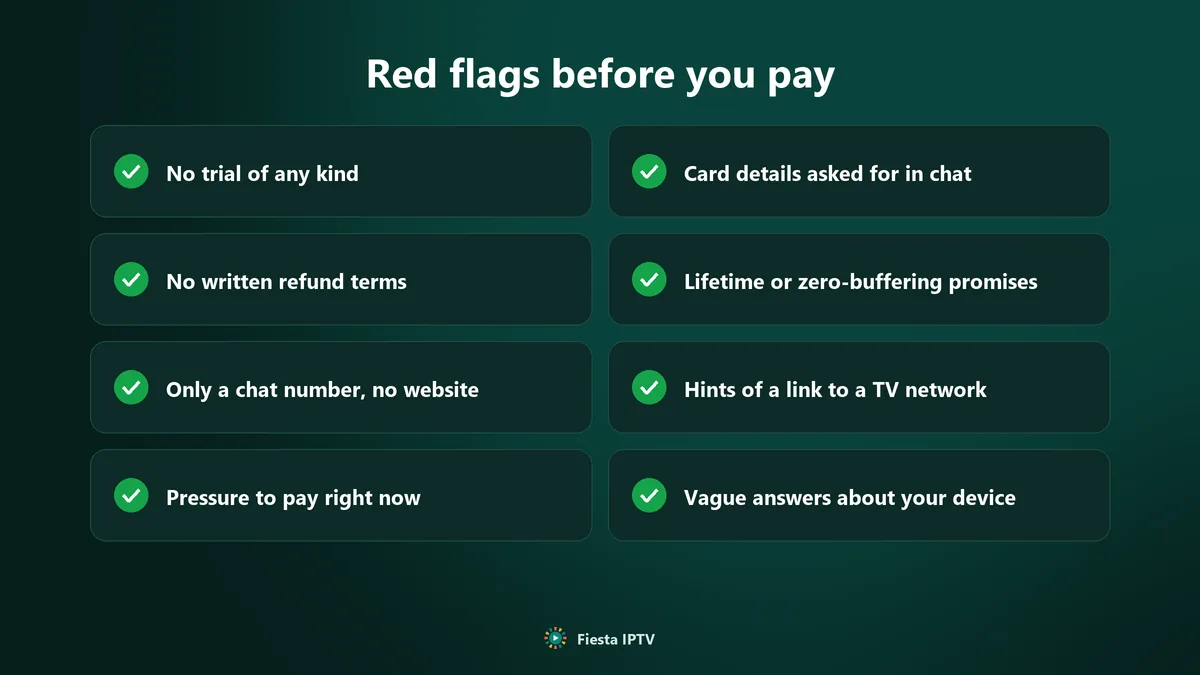
None of these needs technical knowledge to spot. They are about how the business behaves, which is exactly what you can judge before paying.
Green flags to look for
The opposite list is short: a trial you can start today, a refund window in writing, a price that matches the list, support that answers in your language late at night, and pages you can read again later. A provider that offers all five has given you a way to hold it to its word.
Seven questions to ask an IPTV provider
Send these in one message. A provider worth paying answers all seven clearly. Here is how Fiesta IPTV answers them.
| Question | Why it matters | Fiesta IPTV |
|---|---|---|
| Who answers support, and when? | You will need help on a game night | WhatsApp, 24 hours a day, English and Spanish |
| Can I watch before paying? | You see the service in your own home | Free 1 hour, or 24 hours for $2.95 |
| What if it does not work for me? | Your money is not stuck | 7-day refund on a first plan, after contacting support |
| Does it renew by itself? | No surprise charges | No; it ends on the expiration date |
| Does it run on my device? | Your TV or stick must be supported | Smart TVs, Firestick, Android, Apple devices, computers |
| How many screens at once? | A family may watch in two rooms | 1, 2 or 3, depending on the plan |
| Are there extra fees? | The list price should be the total | No setup, activation or equipment fee |
Write down the answers, or keep the chat. If the service later behaves differently from what you were told, you have something specific to point to.
We answer on WhatsApp, day and night.
What an IPTV provider should do once you have paid
Once you pay, a good provider delivers quickly and stays reachable. At Fiesta IPTV, login details are sent within minutes of the payment being confirmed, setup takes about five minutes, and guided setup on WhatsApp takes under ten minutes.
From then on, the questions are about the service itself: how stable the streams are, whether the TV guide and catch-up work, and how support handles a problem. That is the subject of the guide on what an IPTV service delivers. Device steps are in the installation guide, and there is a dedicated guide for the Firestick.
Renewal without surprises
There is no automatic renewal: access stops on the expiration date and nothing more is charged. If you renew, the same login carries on, so no device has to be set up again, and you can change the length or the number of screens at that point.
How to check an IPTV provider in one evening
You can run every check in this guide in a single evening, without paying more than the trial.
- Read the pages: terms of service, refund policy and privacy policy, before the home page.
- Message support: ask about your exact device and the channels you watch, and note how fast the answer comes.
- Start a trial: the free hour to check the channel list, or 24 hours for $2.95 to see an evening game.
- Watch at the hours you use: a weeknight game or a weekend match, on the TV you watch most.
- Pay with a method that leaves a record, and keep the confirmation.
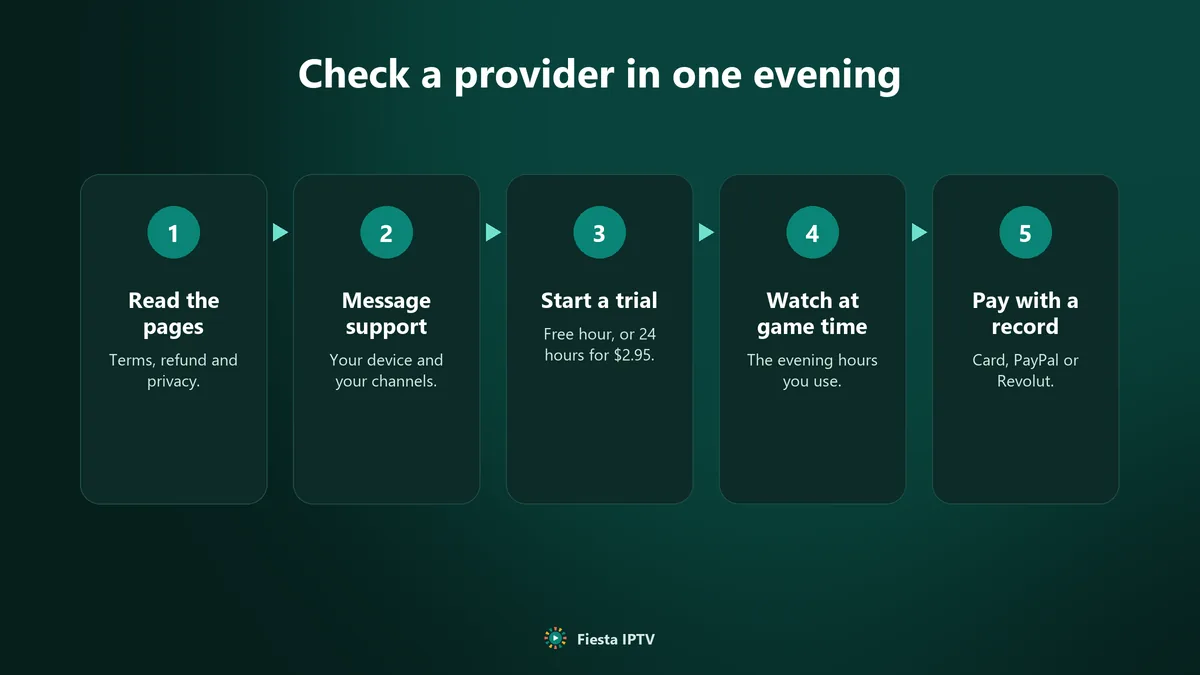
If every step goes well, start with a short plan and move to a longer one when you renew. The lowest monthly rate, $4.96 on one screen over 24 months, will still be there once you are sure.
How this guide was written
This guide was prepared for Fiesta IPTV with the help of AI writing tools. Its prices, trial terms, refund conditions, device steps and speed figures are the ones published on this site. If you spot something that looks out of date, tell us through the contact page.
Frequently asked questions
- What is an IPTV provider?
- An IPTV provider is the business that runs the service: its servers, channel list, TV guide, login details and support. Fiesta IPTV is an independent IPTV provider with more than 34,000 live channels and more than 90,000 movies and series, priced in US dollars from $4.96 a month.
- How can I check an IPTV provider before paying?
- Read its terms of service and refund policy, message its support and time the reply, then take a trial at the hours you watch. Fiesta IPTV offers a free 1-hour trial, a 24-hour trial for $2.95 and support on WhatsApp 24 hours a day.
- What is the difference between an IPTV provider and a reseller?
- An IPTV provider runs the service; a reseller sells lines on that service through a panel, with its own prices and support. Ask any seller which one it is and who handles refunds. Fiesta IPTV sells its subscriptions directly on WhatsApp and also has a reseller program.
- Does Fiesta IPTV offer a refund?
- Yes. Fiesta IPTV refunds a new (first) subscription within 7 days, after you contact support so a technician can try to fix the problem. Renewals, the 24-hour trial and problems caused by your own connection or a third-party app are not covered. Requests are handled within 24 to 48 business hours.
- How do I pay Fiesta IPTV?
- Fiesta IPTV takes US dollars by Visa or Mastercard, PayPal and Revolut, confirmed immediately, and by bank transfer or crypto (USDT, BTC), confirmed within 2 to 3 hours. Apple Pay, Google Pay and Wise are accepted too. Orders are placed on WhatsApp.
- Does Fiesta IPTV support answer in Spanish?
- Yes. Fiesta IPTV support answers in English and Spanish on WhatsApp, 24 hours a day, every day. You can also write to support@fiesta-iptv.com, and setup help is included with every plan.