IPTV Fiesta Free Trial: How to Get It and What to Test in One Hour
The IPTV Fiesta free trial gives you one hour of full access with no payment, so you can check the app, the channels and the picture on your own screen. This guide explains how to request it, what to test in that hour and how to decide what comes next.
The IPTV Fiesta free trial is one hour of full access to Fiesta IPTV, free of charge, with no payment asked for and one trial per customer. You ask for it on WhatsApp, open the iBO Player app and watch the same live channels and on-demand library that a paying customer gets.
An hour passes quickly. If you use it well, the IPTV Fiesta free trial tells you whether your device runs the app, whether your own channels and teams are on the list and whether the picture holds up on your Wi-Fi. If you use it badly, the hour goes on installing an app and scrolling a long list. This guide is built around that hour: what to prepare, how to set up, a test plan in four parts, and the choice between a plan, the 24-hour trial for $2.95 or stopping there.
For plans, lengths and prices in more depth, read the guide to an IPTV subscription. For a scoring sheet you can use on any service, see how to test and score IPTV at home. The trial terms are also set out on the free trial page.
On WhatsApp, in English or Spanish, 24 hours a day.
No contract, no setup fee, from $4.96 a month.
What is the IPTV Fiesta free trial?
The IPTV Fiesta free trial is a test line that works for one hour and opens the full service. The channel groups, the on-demand library, the TV guide and catch-up are all included, exactly as on a paid plan.
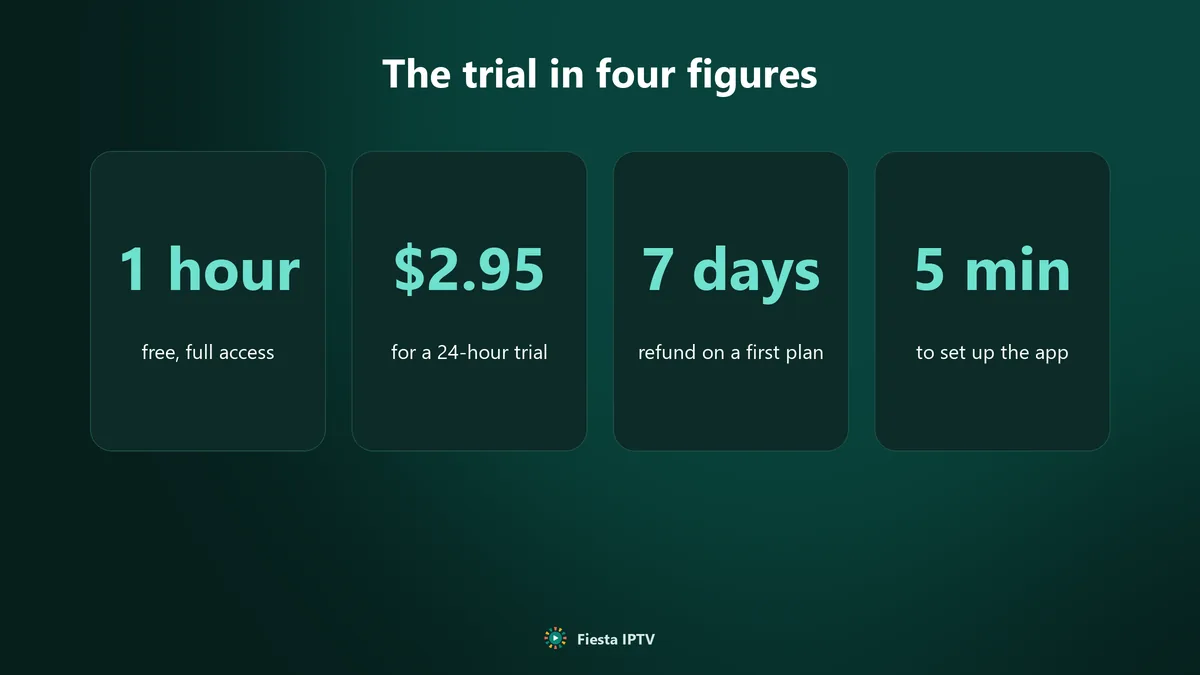
- Length: 1 hour.
- Cost: free. No payment is asked for.
- Access: full, with the same line-up as a paid plan: 34,000+ live channels and 90,000+ movies and series.
- Limit: one free trial per customer.
- App: iBO Player, the same app you would use on a paid plan, at no extra cost.
- Support: in English and Spanish on WhatsApp, 24 hours a day, every day.
The point of the IPTV Fiesta free trial is a quick yes or no on the basics: does the app run on your device, are your channels there, and does the picture look right on your TV? It is not long enough to judge a whole evening of sports. That is the job of the 24-hour trial, covered in the next section.
Free hour or 24-hour trial: which to start with
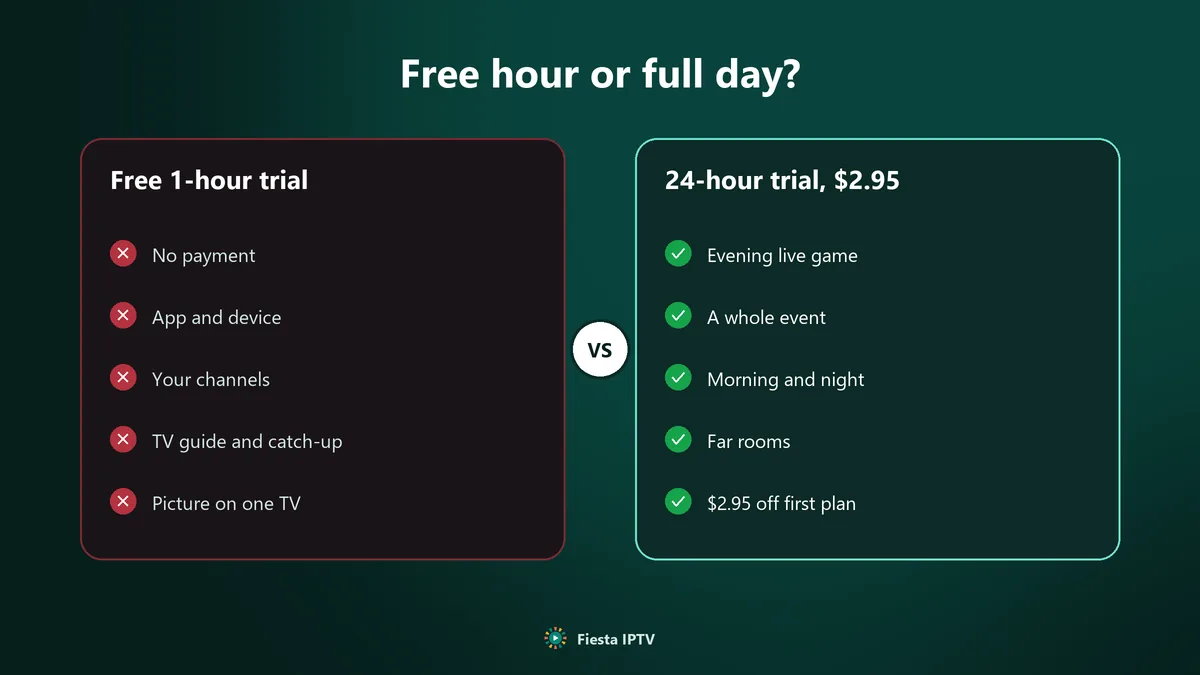
Start with the IPTV Fiesta free trial if you only need to confirm that your device works and your channels are listed. Go straight to the 24-hour trial if what you really want to see is a live game in the evening or the picture on a TV far from the router.
| Point | Free trial | 24-hour trial |
|---|---|---|
| Length | 1 hour | 24 hours |
| Cost | Free, no payment | $2.95 |
| Access | Full | Full |
| Effect on price | Nothing to pay | $2.95 off the first subscription |
| 7-day refund | Not applicable | Not covered |
| Best for | Device, app, channel list | Evening sports, a full day |
One hour answers “does it work here?” A full day answers “does it keep working when the whole house is online?” Because the $2.95 is taken off your first subscription, the 24-hour trial adds nothing to your bill if you then subscribe.
What to prepare before the IPTV Fiesta free trial
Prepare before you send the first message, so the hour goes on watching rather than installing. Setup takes about five minutes, and the app can be installed before you ask for the trial.
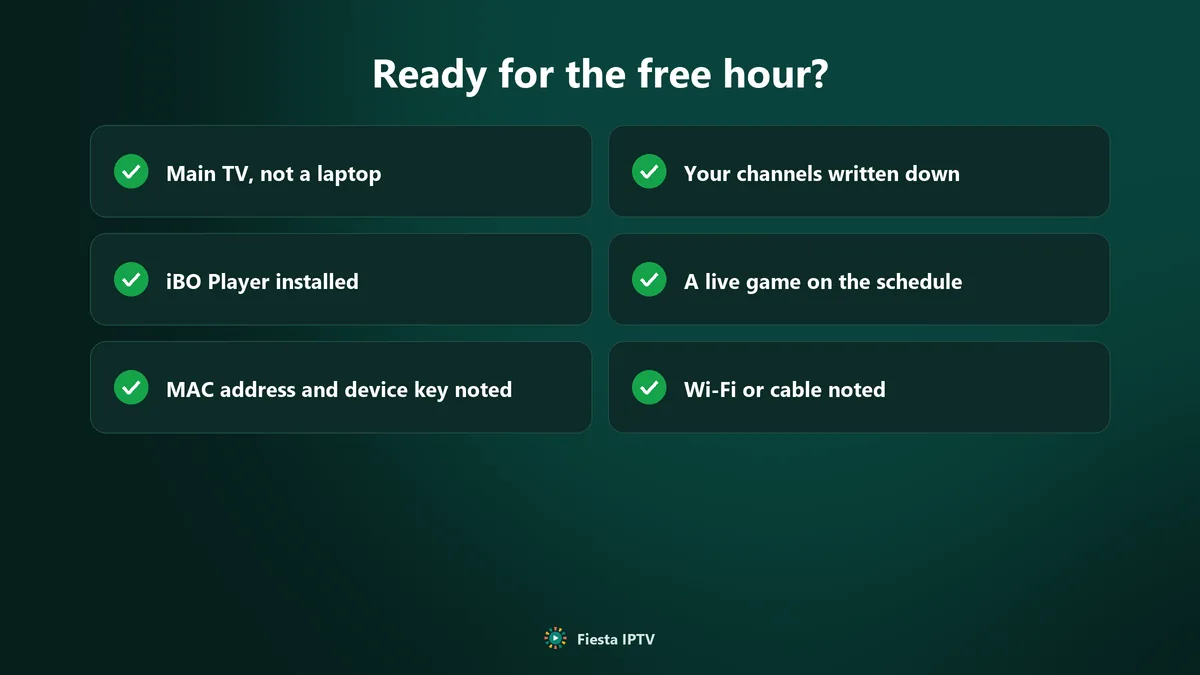
- The device you will really use: the living-room TV, not a laptop sitting next to the router.
- The app: install iBO Player first. On a Samsung or LG Smart TV it is in the TV’s app store; on a phone or tablet it is in Google Play or the App Store.
- On a Firestick or Android TV: install the Downloader app, allow apps from unknown sources and enter the code 481220. iBO Player installs in about two minutes.
- Your list: three or four channels, teams or shows you watch every week.
- A live event: if you can, pick a time when a game or match you follow is on.
- Your connection: note whether the TV is on Wi-Fi or a cable, and how far it is from the router.
On a Samsung or LG Smart TV, iBO Player shows a MAC address and a device key. Write both down or take a photo of the screen: you will send them on WhatsApp.
How to get the IPTV Fiesta free trial, step by step
You ask for the IPTV Fiesta free trial on WhatsApp. There is no sign-up form on the site, and support answers in English and Spanish, 24 hours a day, every day.
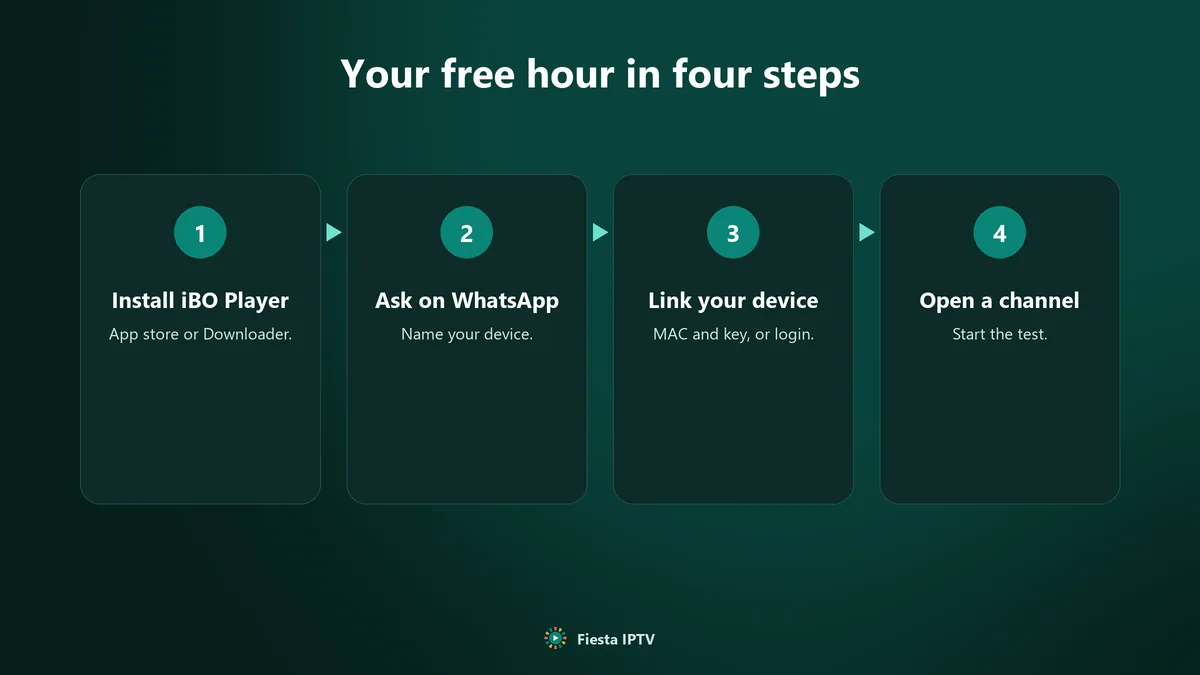
| Step | What you do | Good to know |
|---|---|---|
| 1 | Install iBO Player | App store, or Downloader on a Firestick |
| 2 | Ask for the free trial on WhatsApp | Say which device you will use |
| 3 | Smart TV: send MAC address and device key | Restart the app after confirmation |
| 4 | Phone or tablet: enter the login details | Sent to you by support |
| 5 | Open a channel | Start your test plan |
If any step is unclear, ask for guided setup on WhatsApp, which takes under ten minutes.
Tell support up front which device you use and what you want to check, for example the local channels for your area or a team you follow. That way the conversation starts with your real question, not with a general tour.
1 hour, full access, no payment.
Setting up the trial on your device
The IPTV Fiesta free trial runs on the same devices as a paid plan, and the setup is the same. Each device has its own page in the installation guide, and Firestick owners can follow the Firestick setup and buffering guide.
| Device | Get iBO Player | Then |
|---|---|---|
| Samsung or LG Smart TV | From the TV’s app store | Send MAC address and device key, restart after confirmation |
| Amazon Firestick, Android TV | Downloader app, code 481220 | Install iBO Player, about two minutes |
| iPhone, iPad | App Store | Enter the login details |
| Android phone or tablet | Google Play | Enter the login details |
Which device to test on
Use the screen you will watch most. A phone close to the router tells you little about the TV in the basement or the back bedroom. If you have doubts about a second room, keep that question for the 24-hour trial, when there is time to look at it properly.
Using another player
If you already use IPTV Smarters or TiviMate, ask support whether your trial can be supplied as an M3U link or an Xtream Codes login. A paid line is supplied as an M3U link or an Xtream Codes login.
A one-hour test plan for the IPTV Fiesta free trial
Split the hour into four parts and keep short notes as you go. This plan covers what one hour can show; the rest waits for a longer test.
| Part | What to check | Pass if |
|---|---|---|
| First | Your own channels and teams | You find them in their groups |
| Second | A live channel left running | The picture stays steady |
| Third | TV guide, catch-up, pause, rewind | Guide filled in, rewind works |
| Fourth | Movies and series | Audio or subtitles you need |
First part: find your channels
Open the group for your country. The United States has its own group with local and national channels, and the Spanish-language groups cover Mexico, Spain, Argentina, Colombia, Chile, Peru, the Caribbean and Central America. Look for the exact channels on your list, not just the group names.
Second part: leave a live channel running
Pick a sports or news channel and let it play without touching the remote. Watch for freezes, drops in picture quality or sound that drifts out of sync with the picture. Then change channels several times and note how quickly each one starts.
Third part: the TV guide and catch-up
Open the TV guide (EPG) on a few channels and check that it shows what is on now and next. Pause a live channel, wait a little, then resume. Rewind to a moment you watched earlier and check that it plays back.
Fourth part: the on-demand library
Search for a movie and a series you know. Check that complete seasons are there and that the audio or subtitles you need are available, in English or Spanish. Start an episode and skip forward to see how quickly it picks up again.
Write a short verdict at the end of the IPTV Fiesta free trial: what passed, what failed and what you could not test. The guide to testing and scoring IPTV has a fuller sheet if you want to score each point in detail.
Finding your channels and sports in the trial
Search by competition and by country, not by a channel name you remember from cable. Sports channels carry the NFL, NBA, MLB, NHL, MLS and college football, as well as Liga MX, the Premier League, the Champions League, LaLiga, Serie A and Copa Libertadores. Formula 1, UFC, boxing, tennis and golf are there too, and pay-per-view events have their own category.
- Local channels: in the United States group, check the stations for your own area.
- Spanish-language: open the group for the country you follow, from Mexico to Puerto Rico or the Dominican Republic.
- Other countries: Canada, Brazil, the United Kingdom, France, Italy, Germany, India and Arabic channels have their own groups, among many more.
If a channel on your list seems to be missing, ask support on WhatsApp during the IPTV Fiesta free trial rather than after it. You can also open the channel list before you start, so the hour goes on checking quality rather than searching.
Checking picture quality and speed during the trial
Picture quality depends on your connection as much as on the service, so the IPTV Fiesta free trial is a test of both. Fiesta IPTV carries 4K on the main sports, movie and entertainment channels, with Full HD, HD and SD versions for slower connections.
| Quality | Speed per screen | Where to try it |
|---|---|---|
| HD | 10 Mbps | Phone, tablet or second TV |
| Full HD | 15 Mbps | Main TV |
| 4K | 25 Mbps | Large 4K TV on a fast line |
These figures apply to each screen playing at the same time. Run a speed test on the device itself, or as close to it as you can, before the trial starts. A figure measured next to the router can be much higher than what reaches a TV in another room. Fiber, cable, DSL and 4G or 5G home internet all work, as long as the connection is steady.
Compare versions of the same channel
Where a channel comes in several qualities, play the 4K version and then the Full HD one on the same TV. If 4K stutters while Full HD plays steadily, the bandwidth reaching that TV is the first thing to look at, and Full HD is the version to use on that screen for now.
If the picture stutters during the IPTV Fiesta free trial
Check your own setup first, because it is the part you can change in minutes. Wi-Fi weakens through walls and floors, and the trial cannot show you more than the signal in that room allows.
- Move closer: if you can, try the device near the router. Steady there and poor in the far room points to the Wi-Fi.
- Use a cable: an Ethernet cable, a powerline adapter or a mesh point near the TV gives a steadier picture.
- Lower the quality: switch from 4K to Full HD or HD for that channel.
- Pause other heavy use: large downloads and other video streams share the same connection.
- Restart the app: close iBO Player and open it again.
- Ask support: on WhatsApp, describe the channel, the time and the device.
Fiesta IPTV aims for 99.9% uptime with redundant servers and anti-freeze protection. That is a target, not a promise, and no provider controls the Wi-Fi in your home. If you use a VPN, the service works with it; note whether it was on during your test so you can compare like with like.
What one free hour cannot show you
An hour shows that the service works on your setup; it cannot show how it behaves over a full day. These are the questions that remain after the IPTV Fiesta free trial:
- Peak time: a live game in the evening, when the whole household is online.
- A whole event: a full game, race or fight from start to finish.
- Other rooms: the TV furthest from the router.
- Different times of day: the morning news as well as the evening line-up.
- Support late at night: how quickly a message gets a reply.
The 24-hour trial covers those points. It costs $2.95, opens the same full access, and the $2.95 is taken off your first subscription. Keep in mind that the 24-hour trial is not covered by the 7-day refund.
$2.95, taken off your first subscription.
After the IPTV Fiesta free trial: choosing a plan
If the free hour went well, choose a plan; if it raised doubts, take the 24-hour trial; if your own channels were missing, stop there. Nothing is charged after a free trial, because no payment was taken.
| Length | 1 screen | 2 screens | 3 screens |
|---|---|---|---|
| 1 month | $17 | $29 | $39 |
| 3 months | $37 | $64 | $79 |
| 6 months | $49 | $84 | $117 |
| 12 months | $77 | $109 | $189 |
| 24 months | $119 | $199 | $297 |
Every plan opens the same content as the trial. Only the length and the number of screens change. A 1-screen plan can be installed on several devices, but only one plays at a time.
A sensible first plan
After an IPTV Fiesta free trial, a 1-month plan for $17 or a 3-month plan for $37 lets you watch through ordinary weeks before committing longer. The lowest rate, $4.96 a month on 24 months for one screen, makes more sense once you are sure.
No contract, no renewal
There is no setup fee, no activation fee, no equipment rental, no contract and no automatic renewal. The subscription ends on its expiration date, and if you renew, your login details stay the same. The IPTV subscription guide covers lengths and screens in more depth.
1, 2 or 3 screens, from 1 to 24 months.
Paying and going live after the trial
To move from the IPTV Fiesta free trial to a paid line, you order on WhatsApp and pay in US dollars, once for the whole period. The payment method decides how fast the line goes live.
| Payment method | Confirmation |
|---|---|
| Debit or credit card (Visa, Mastercard) | Immediate |
| PayPal | Immediate |
| Revolut | Immediate |
| Bank transfer | 2 to 3 hours |
| Crypto (USDT, BTC) | 2 to 3 hours |
| Apple Pay, Google Pay, Wise | Support confirms the timing |
Login details are sent within minutes of the payment being confirmed. If a game starts soon after your trial ends, pay by card, PayPal or Revolut rather than by bank transfer or crypto.
Never type a full card number and security code into a chat message, for this purchase or any other, and keep your payment confirmation for renewals, device changes or a refund request.
The 7-day refund after your trial
Every new (first) subscription can be refunded within 7 days, after you contact support so a technician can try to fix the problem. It is a second safety net after the trial, not a replacement for it.
- Covered: a first subscription, within 7 days, after contacting support.
- Not covered: renewals, the 24-hour trial, requests after 7 days, and problems caused by your own connection or by a third-party app.
- Timing: refund requests are handled within 24 to 48 business hours.
This is one more reason to run the IPTV Fiesta free trial on your real setup. If the trial shows that your Wi-Fi is the weak point, fix that first, because problems caused by your own connection are not covered. The full conditions are in the refund policy, and the terms of service set out the rest.
A trial does not change what a subscription covers or the rules that apply where you live. The legal points are set out once, in the IPTV subscription guide.
Mistakes that waste a free trial
Each of these mistakes makes the IPTV Fiesta free trial show you less than it could.
Installing the app after asking for the trial
Setup takes about five minutes, and guided setup on WhatsApp under ten. Install iBO Player first, so more of the hour goes on watching.
Testing on the wrong screen
A phone next to the router tells you little about the bedroom TV. Test on the screen you will actually use.
Watching only quiet channels
A channel with little movement says less than a live game. Leave a sports channel running for a while.
Asking for a second free trial
There is one free trial per customer. If you need more time, the 24-hour trial for $2.95 is the next step.
Judging the service on a weak signal
If the picture is poor in only one room, the signal in that room is the first thing to fix. A cable, a powerline adapter or a mesh point changes what the trial can show.
Tell us your device and the channels you want to check.
How this guide was written
This guide was prepared for Fiesta IPTV with the help of AI writing tools. Its prices, trial terms, refund conditions, device steps and speed figures are the ones published on this site. If you spot something that looks out of date, tell us through the contact page.
Frequently asked questions
- How long is the IPTV Fiesta free trial?
- The IPTV Fiesta free trial lasts 1 hour, with full access to the live channels, the on-demand library, the TV guide and catch-up. Fiesta IPTV asks for no payment, and there is one free trial per customer.
- How do I get the IPTV Fiesta free trial?
- Ask Fiesta IPTV on WhatsApp, where support answers in English and Spanish 24 hours a day. Install iBO Player first. On a Samsung or LG Smart TV, send the MAC address and device key the app shows; on a phone or tablet, enter the login details you receive.
- Is there a longer trial than one hour?
- Yes. Fiesta IPTV offers a 24-hour trial for $2.95 with full access, and the $2.95 is taken off your first subscription. The 24-hour trial is not covered by the 7-day refund. It suits a full evening of live sports once the free hour has gone well.
- Does the Fiesta IPTV free trial cost anything?
- No. The Fiesta IPTV free 1-hour trial takes no payment. You pay only if you then choose a plan, in US dollars, from $17 for 1 month on one screen. Plans have no contract, no setup fee and no automatic renewal.
- What internet speed does the Fiesta IPTV trial need?
- The Fiesta IPTV trial needs the same speed as a paid plan: 10 Mbps for HD, 15 Mbps for Full HD and 25 Mbps for 4K, per screen playing at the same time. A cable or a mesh point near the TV gives a steadier picture than weak Wi-Fi.
- Can I get a refund if I subscribe after the trial?
- Yes, on a first subscription. Fiesta IPTV refunds a new subscription within 7 days, after you contact support so a technician can try to fix the problem. Renewals, the 24-hour trial and problems caused by your own connection or a third-party app are not covered.